
Where to Start
To work with Interpreters’ Cooperative’s interpreters and translators, your organization needs a client account on this website and one or more users who’ll access and manage it.
We plan to streamline this procedure in future, but at present, your first step is to request setup of the account by email or contact form.
The confirmation a newly added user next receives from us will look like this:
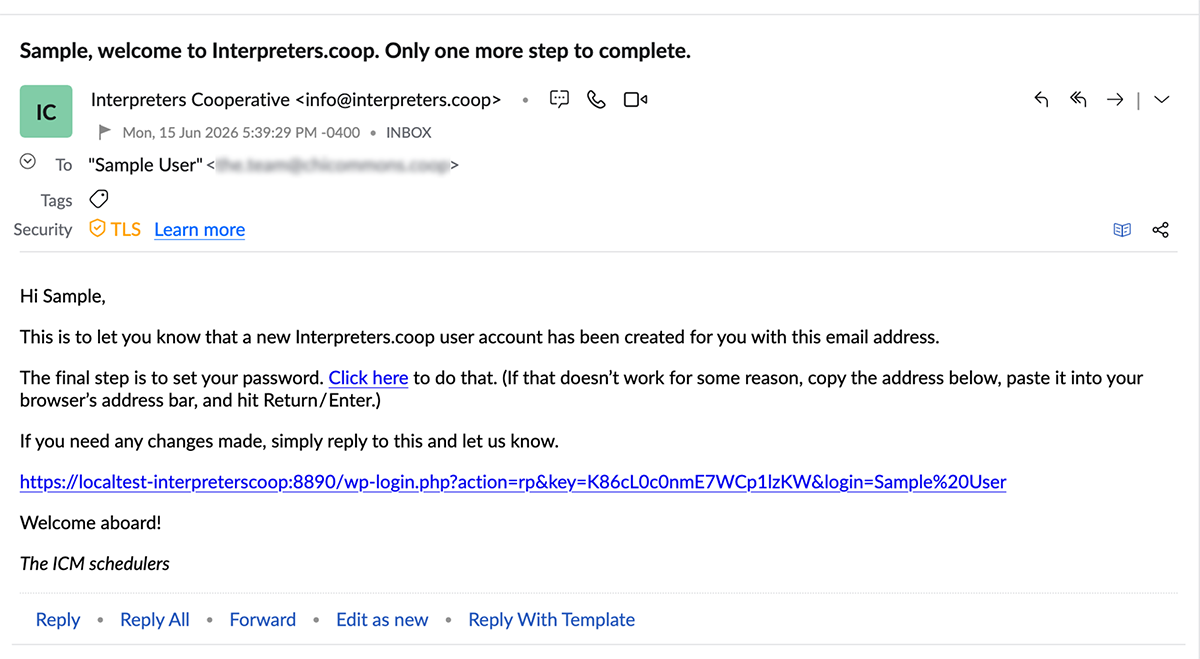
The new user now has to click the link in that email and set a password for site access, as shown:

The screen that appears once a password is set now invites the new user to log in. (With this screen reached, you can jump to step six below.)

In the odd case that setting the password is interrupted or fails with an error response, don’t worry! Just type / paste the username or email address from the email received in step one into the box and click the “Get New Password” button.

The subsequent email provides the user a new link to proceed with.

The login screen looks like this:

On login, the user is automatically routed to the client account record they’re responsible for.
Requesting an interpreter or translator always begins with clicking “Start a New Job,” as shown:

This is it! That “Start a New Job” click brings up the form shown below.
Please click on the image below now to examine a full demonstration version of our form for transmitting the information needed to schedule requested work.
The first piece of information you’ll need to supply will be a job name. The name will be used throughout the job cycle and will appear on Interpreters’ Cooperative’s invoice. If your organization uses a code or designator for processing contracted work, it can be included in the job name.
Bear in mind that if your work is new to us, the description provided in the form’s “Job Notes” field will need to be fairly detailed.
